
Update OS X Mountain Lion Without the App Store
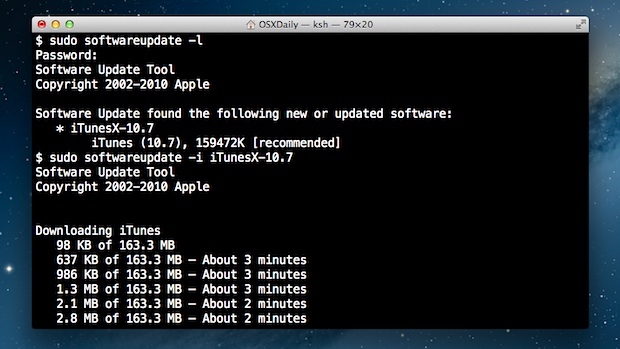
Using the command line softwareupdate tool you can update Mac OS X system software without using the App Store. This is particularly useful for Mac users running OS X 10.8 or later where the software update system is primarily handled through the Mac App Store, but can occasionally either go awry or be inaccessible in situations of remote administration.
Get started by launching Terminal, found in /Applications/Utilities/.
To list the available software updates, use the following command.
sudo softwareupdate -lAll available software updates can be installed with the following command:
sudo softwareupdate -i -aInstall specific updates from those listed with the following:
sudo softwareupdate -i PackageNameThe softwareupdate command only handles key system software components and updates and will not update third party applications. Applications downloaded from the App Store will need to be updated through the App Store and can not be updated through the terminal.
The video tutorial below demonstrates how this works when installing the iTunes 10.7 update:
Advanced Mac users know the softwareupdate command has been around for some time, but the new App Store based software updating system has made it more useful than ever before.
Tags: Mac OSX Tips


 Previous Article
 Next Article
Subscribe to:
Post Comments (Atom)


Share your views...
0 Respones to "Update OS X Mountain Lion Without the App Store"
Post a Comment